
Audience Templates: How to Build and Reuse Target Audiences for Surveys
 Defining the right target audience for your survey is critical to getting reliable insights. But for many teams, it’s also one of the most repetitive and time-consuming parts of survey setup.
If you regularly survey the same customer segments, demographics, or markets, rebuilding audiences from scratch can slow teams down and introduce inconsistencies between studies.
That’s why Pollfish introduced Audience Templates – a way to build survey audiences once and reuse them across future projects, while keeping teams aligned on how audiences are defined.
What are Audience Templates?
Audience Templates allow you to save a fully configured survey target audience and reuse it when creating new surveys.
Instead of repeatedly selecting demographics, locations, and targeting criteria, you can start from a predefined audience that already reflects how your team runs research.
Audience Templates help teams:
-
Reduce repetitive setup work
-
Keep audience definitions consistent
-
Launch surveys faster, especially for recurring research
They’re particularly useful for pulse surveys, brand studies, and any research where comparability over time matters.
If you’re new to survey audience targeting, Pollfish School’s guide on targeting the right survey audience is a helpful foundation.
Where to find Audience Templates in Pollfish
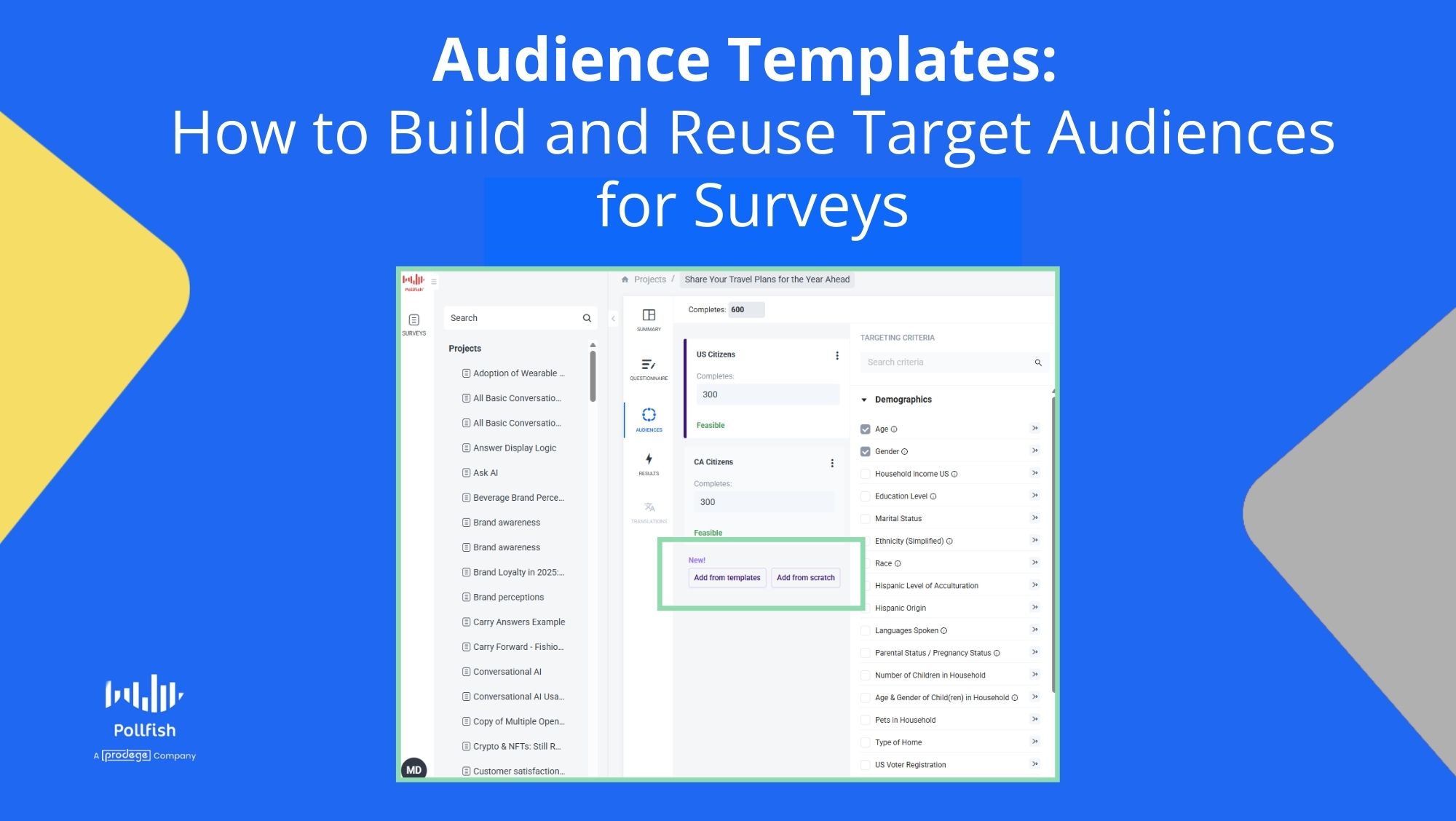
Audience Templates are available inside the Audience tab when building a survey.
How you encounter them depends on whether an audience already exists in your project.
If no audience exists yet
You’ll land directly in the Template view, where you can select your target country and:
-
Create an audience from a template
-
Create an audience from scratch
If an audience already exists
You’ll see clear calls to action to:
-
Create from template
-
Create from scratch
-
Save as template (top right)
This ensures templates are easy to use whether you’re launching a new study or refining an existing one.
Types of Audience Templates available
Pollfish supports multiple types of templates so teams can move quickly without sacrificing flexibility.
Default audience templates
We’re continuing to add more pre-built templates available to all users, designed for common survey targeting needs.
Examples include:
-
Adults aged 18+
-
Parents
-
Pet owners
- Video Game Players
Default templates are ideal for quick launches or when non-research stakeholders need to get a survey live without deep targeting expertise.
Global audience templates
Global templates are country-agnostic default templates.
They automatically appear regardless of the country selected for your survey, making them ideal for:
-
Multi-country research
-
Comparative studies
-
International market research
Team audience templates (custom)
Team templates are custom audiences created by users and shared automatically with their team.
Once saved:
-
Everyone on the team can reuse them
-
They appear alongside default and global templates
-
Audience definitions stay consistent across projects
This is especially valuable for recurring research where consistency matters more than speed alone.
How to create a target audience from a template
Creating an audience from a template is designed to be fast and intuitive.
Steps:
-
Create a new survey
-
Go to the Audience tab
-
Select Create from template
-
Choose the country for your survey
-
Browse available templates:
-
Default templates
-
Global templates
-
Team templates
-
-
Preview the audience using the eye icon
-
Select a template to apply it
Once applied, the audience can still be edited or refined as needed. To understand the broader range of demographic and targeting options available, see our post demographic and targeting criteria.
How to save a survey audience as a reusable template
If you’ve built a survey audience you know you’ll reuse, you can save it as a template in just a few clicks.
How it works:
-
Open the Audience tab
-
With an audience in place, click Save as template (top right)
-
Enter a clear name and description
-
Save
The template becomes immediately available to your entire team.
To keep things organised, Pollfish requires unique names for both audiences and templates.
Country filtering and audience relevance
When creating an audience from a template, you’ll first select a country.
Pollfish will then show:
-
Templates that match the selected country
-
Plus any Global templates
This prevents country-specific targeting from being applied to the wrong market and keeps audience definitions relevant to your research geography.
Previewing target audiences before use
Every template includes a preview option.
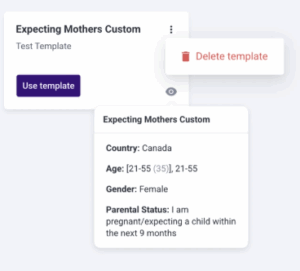
By hovering over a template and clicking the eye icon, you can see a snapshot of the audience demographics before applying it.
This helps teams quickly confirm:
-
Who will be surveyed
-
Whether the audience matches the research objective
-
That targeting aligns with previous studies
Editing and managing team audience templates
Team templates can be managed directly from the Template view.
Available actions include:
-
Rename – update the template name or description
-
Delete – permanently remove the template
Deleting a template:
-
Does not affect existing surveys created from it
-
Cannot be undone
All team members have equal permissions to manage templates, helping teams stay flexible without bottlenecks.
Common survey audience use cases
Audience Templates are especially useful for teams running:
-
Recurring surveys
-
Brand health and pulse studies
-
Customer and user research
-
Multi-country research projects
Examples include:
-
A shared “Gen Z consumers” audience across multiple studies
-
A standard audience used for quarterly reporting and benchmarking
Why reusable target audiences matter in survey research
Reusing audience definitions helps teams:
-
Launch surveys faster
-
Reduce setup errors
-
Maintain consistent targeting over time
-
Improve comparability between studies
By removing repetitive setup work, teams can spend less time configuring audiences and more time analysing insights.
Build your target audience once. Reuse it with confidence.
Next time you create a survey audience in Pollfish, save it as a template and reuse it across future projects.
Audience Templates are designed to help teams move faster, stay aligned, and run better survey research at scale.
Start your next project with Pollfish today
