
How to Translate a Survey Using the Pollfish AI Builder (Step-by-Step)
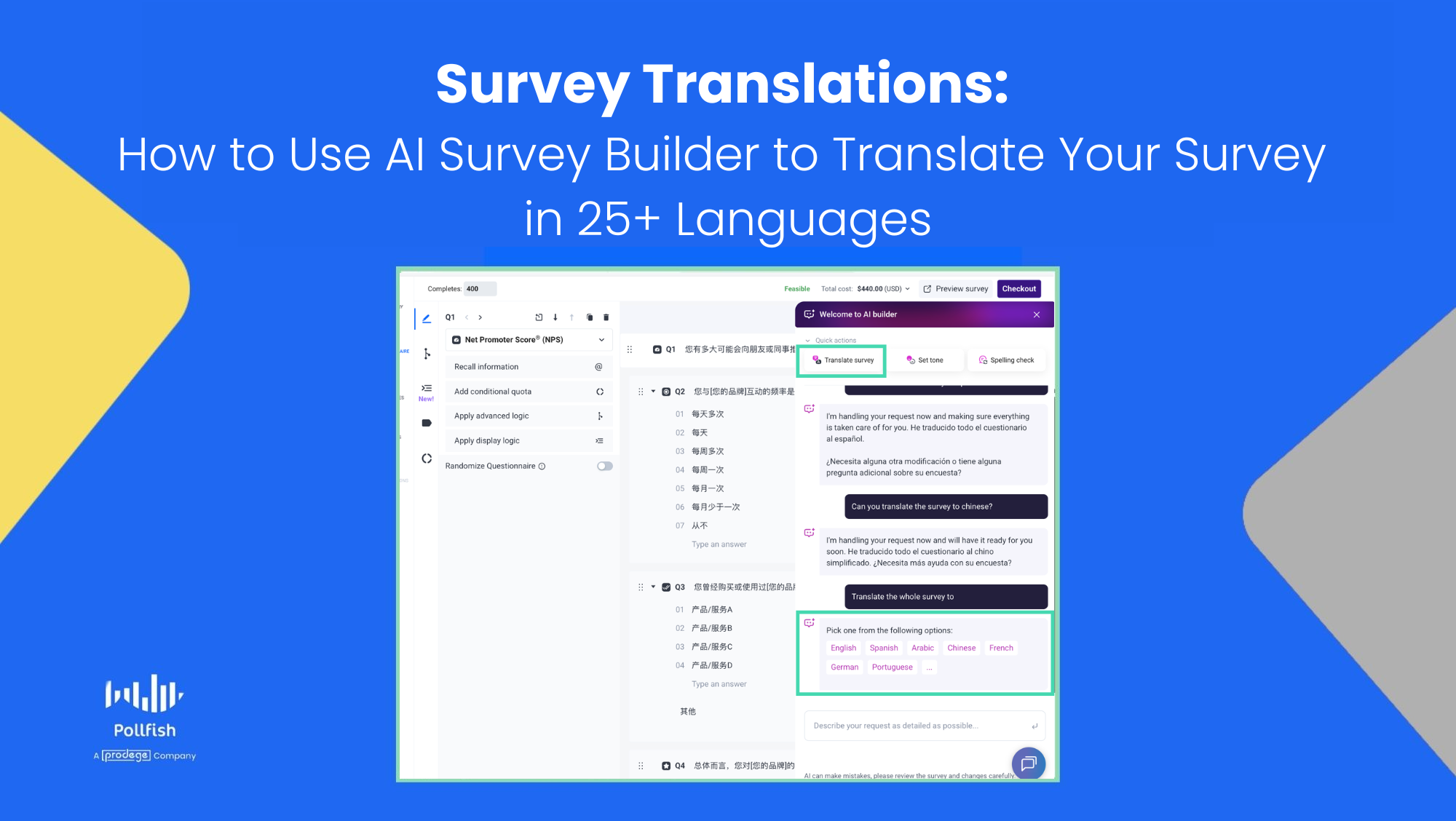 When running international market research, manual survey translation workflows are a massive bottleneck. Copying and pasting scripts, managing multiple localized survey variants, and trying to align data headers manually adds cost and hours of friction to your project timeline.
The Pollfish platform eliminates this logistical headache by embedding an interactive AI Survey Builder side panel directly into your survey creation dashboard. With it, you can localize your entire questionnaire into dozens of languages simultaneously using either quick-click actions or simple chat commands.
Here is the exact step-by-step technical workflow to translate your survey inside the Pollfish platform.
Step 1: Open Your Survey and Locate the AI Builder
- Log into your Pollfish Dashboard and open your survey project.
- Look at the right-hand side of your screen. You will see the AI Builder panel interface open right alongside your active questionnaire view.
Pro Tip: Ensure all your skip-logic rules, piping, and response types (e.g., matrix tables, multiple choice, open text) are finalized in your primary language before executing the translation. This ensures your logic structure copies over flawlessly.
Step 2: Choose Your Translation Workflow
Pollfish provides two distinct, automated workflows within the AI Survey Builder panel to instantly localize your questionnaire.
Method A: Using the Quick-Action Menu (Click-to-Translate)
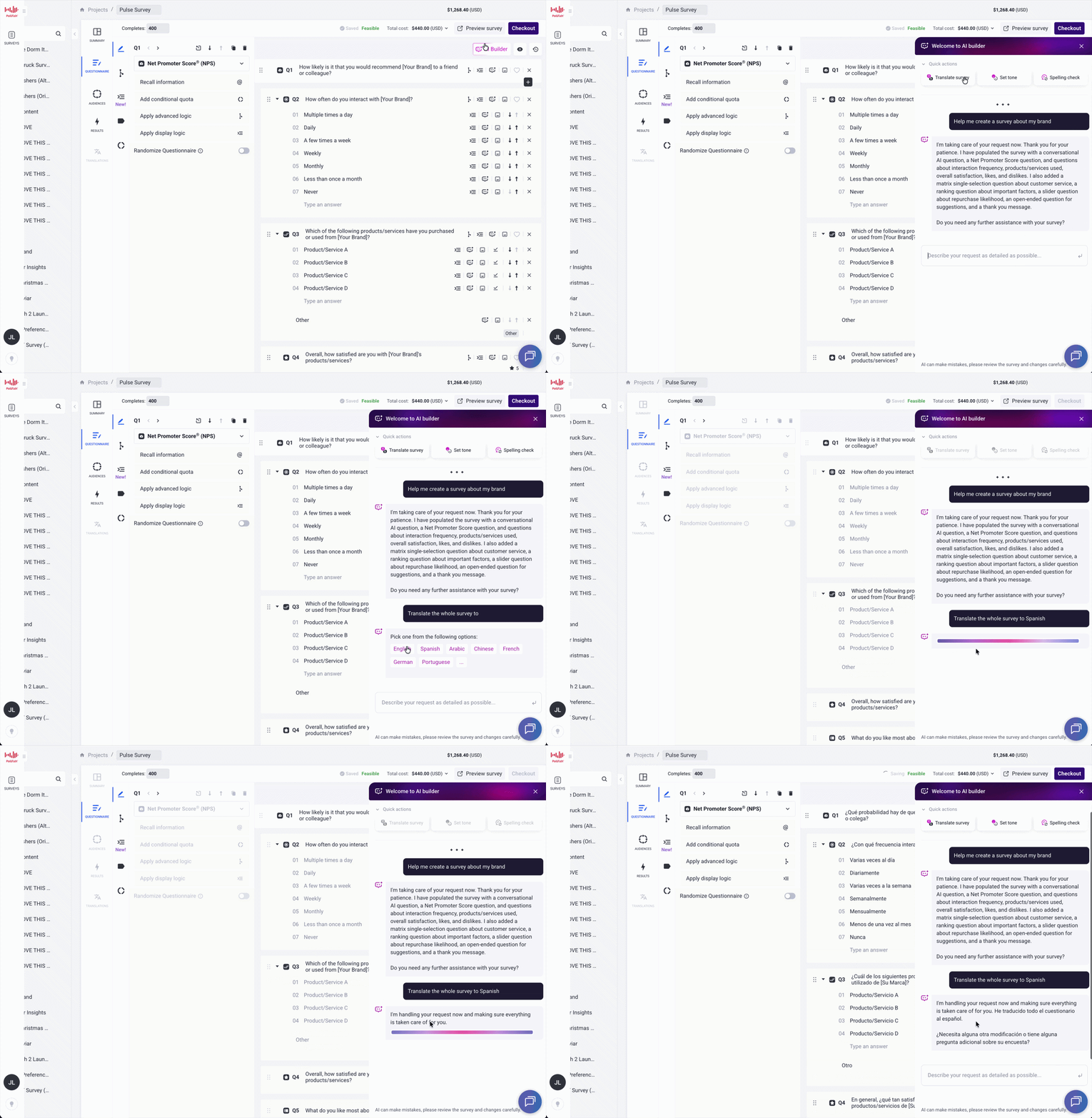 If you want to use the platform’s pre-set shortcuts, follow these steps:
- At the top of the AI Builder panel, look under the initialization text to find the quick-action buttons.
- Click the Translate survey button.
- The AI assistant will instantly reply with a list of popular target language options (including English, Spanish, Arabic, Chinese, French, German, Portuguese, and more).
- Click your desired language (for example, Spanish).
- The system will automatically and instantly translate your entire survey to your desire language on the left-hand preview pane.
Method B: Using Custom Chat Prompts
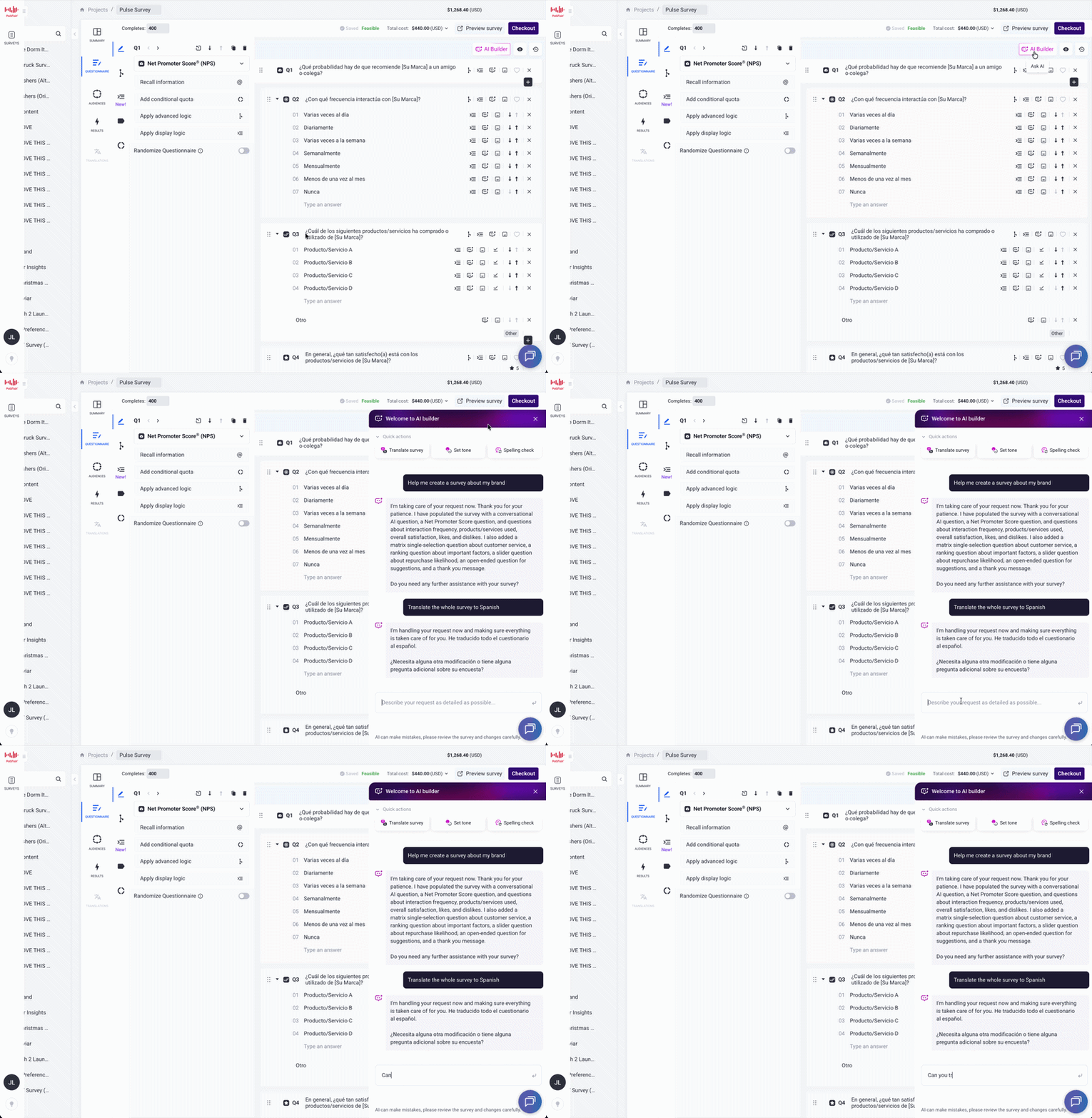
If you want to translate your survey into a specific language not listed in the options shown, or prefer typing your commands:
- Navigate to the chat input box at the bottom of the AI Builder panel labeled: “Describe your request as detailed as possible…”
- Type a clear, natural language command specifying your target language.
📝 Example prompts you can type:- “Can you translate the survey to Chinese?”
- “Translate this entire survey into German.”
- “Change the language of this questionnaire to Swedish.”
- Hit the send arrow or press Enter.
- The AI Builder will respond and translate your questionnaire into the requested language layout.
Supported Global Languages
Pollfish supports AI Translations of over 25 major international languages, including but not limited to:
- Arabic
- Bulgarian
- Chinese (Simplified and Traditional)
- Czech
- Danish
- Dutch
- Finnish
- French
- German
- Greek
- Hebrew
- Hindi
- Hungarian
- Indonesian
- Italian
- Japanese
- Korean
- Norwegian
- Polish
- Portuguese
- Romanian
- Russian
- Spanish
- Swedish
- Thai
- Turkish
- Vietnamese
Accelerate Your Global Consumer Insights
Language barriers should never limit your access to high-quality market intelligence. By unifying cross-border demographic filtering, hyper-targeted geo-location options, and rapid AI-driven translation software, Pollfish simplifies the logistical friction of executing international studies.
Field your next multi-country project with absolute confidence, backed by Prodege’s first-party respondent panels and state-of-the-art anti-fraud security protocols.
